Portlets, too, can be made highly customizable with a great architecture.
Back in March, we introduced a new development design pattern that offers a great deal of customization and maintainability. This approach extended NetSuite's Suitelets to the full range of a developer's ability by intelligently structuring HTML, CSS, and JavaScript for the Suitelet. The method also enforces good programming habits by isolating each component of the MVC architecture to its respective domain: logic is handled by the Suitelet, structure is handled by HTML, and all references to backend libraries are handled through asynchronous requests. This solution, with all of its benefits, is not limited to Suitelets. Because of the broad similarities shared with Suitelets, Portlets may also employ this same design pattern. Today, we will walk through a real-world example of a Portlet that uses this pattern and all considerations that come with Portlet development.
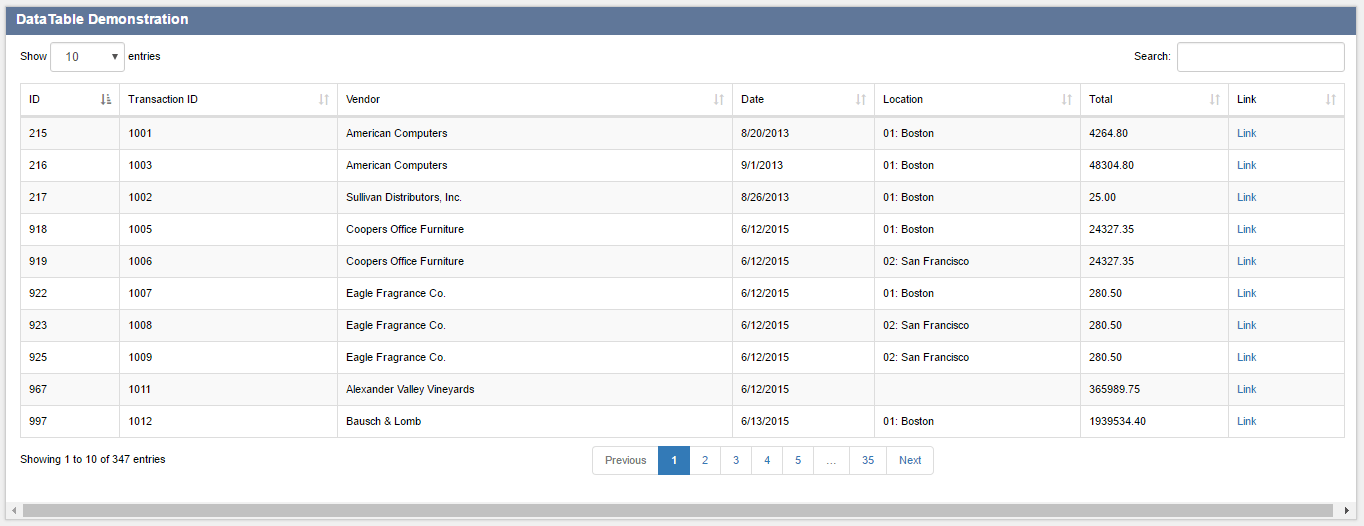
The concept for this Portlet originated in response to a need from a client's Merchandising Department. They had just received a great new solution for a Procure-to-Pay process which streamlined purchasing and improved productivity by up to 75%. Although the tool was great, there was a small problem: the users found it cumbersome to navigate the traditional NetSuite list view to access the Suitelet. They required a much faster approach which also provided specific data which catered to their needs. In particular, the portlet improved the following aspects compared to the traditional list view:
Due to reasons involving intellectual property, this is a pared down version of the end product. However, the core details remain unchanged: this example provides the process of laying out the portlet, the files required, and any external libraries which are called. This utility consists of five major parts:
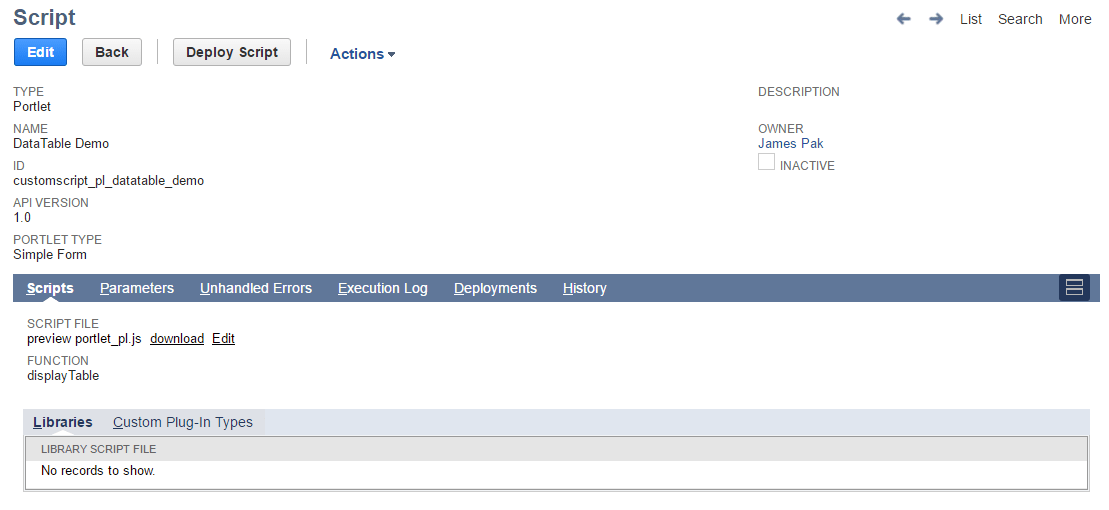
This Portlet begins with the Backend Portlet Script. This is the only script file that must be configured as a NetSuite Script Record.
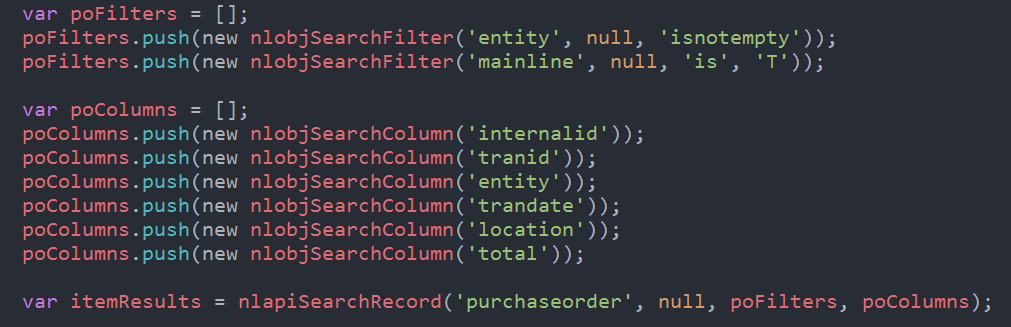
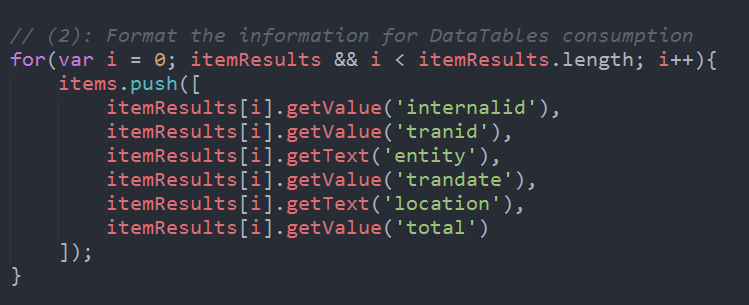
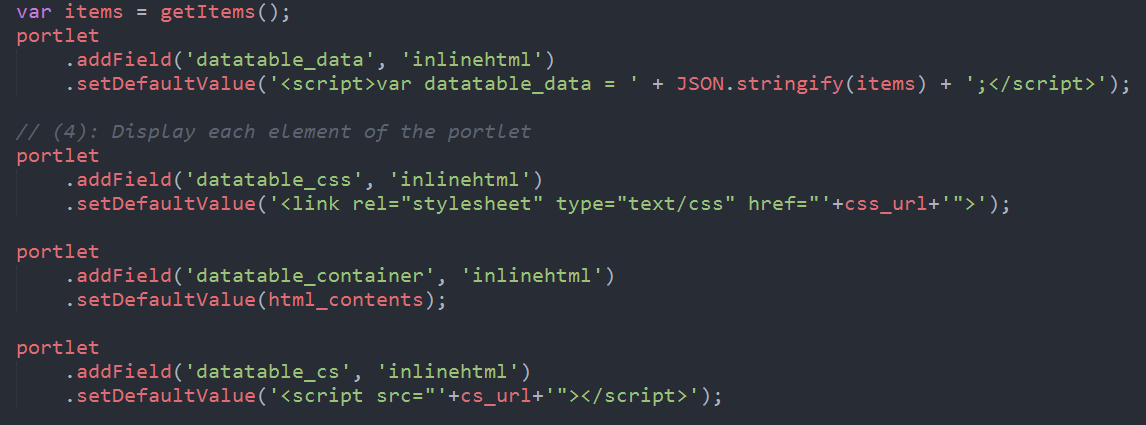
The script performs four important operations:
Step 3 may be substituted by performing an asynchronous server call upon initialization of the HTML file. We opted to initialize the data at Portlet initialization since this is happening on the server-side anyway and removes a step in the retrieval process.
The sequence in which the elements are created is important. We must treat this the same as any other HTML document, so we load HTML, JS Data Objects, and CSS as early as possible. We save initialization toward the end of the document so the initializer doesn’t get confused about missing DOM elements.
The HTML file is strikingly bare – as it should be in a DataTables example. The heavy lifting is done during client-side initialization and the file mostly contains references to static content (jQuery, BootStrap, DataTables CDNs).
The HTML document contains only static components. All dynamic components are written as new HTML during the Portlet initialization process.
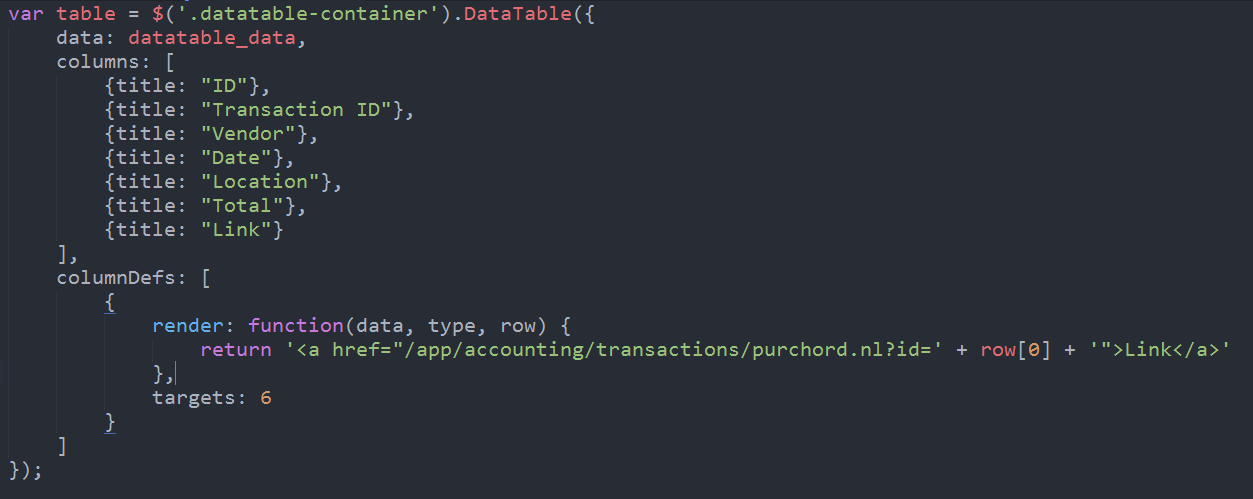
The next stage of this design is client-side initialization. Client-side initialization handles two main components:
The most important facet of the Client Script is that we ensure that the DataTables library accesses and displays the data. Using our approach (step 3 of the Portlet Script Configuration), we call on the object datatable_data and set that as our DataTables data.
As with any great solution, this one is not without its drawbacks:
Note: Portlets are effectively iFrames and in an effort to dynamically fill available space, NetSuite offers the nlapiResizePortlet API. Though it only scales Portlets to larger dimensions, it does help to fill the gap for dynamic resizing.
In our real-world implementation, this utility was well-received as a powerful starting point of a complex procurement process. Users are able to quickly sort through information, filter by relevant departments and vendors, and continue from an incomplete procurement cycle.
Portlets are often overlooked in favor of native functionality or standalone Suitelet pages, but we hope that this technique encourages more developers to create interesting and powerful dashboard applications!
The script files for this demo are available to download. Please have a look and use the same pattern to design your own complex Portlet Apps and let us know what you’ve created!